
 EN
 Français
 Deutsch
 Italiano
 Español
Contents
Demonstrate a shading survey on site
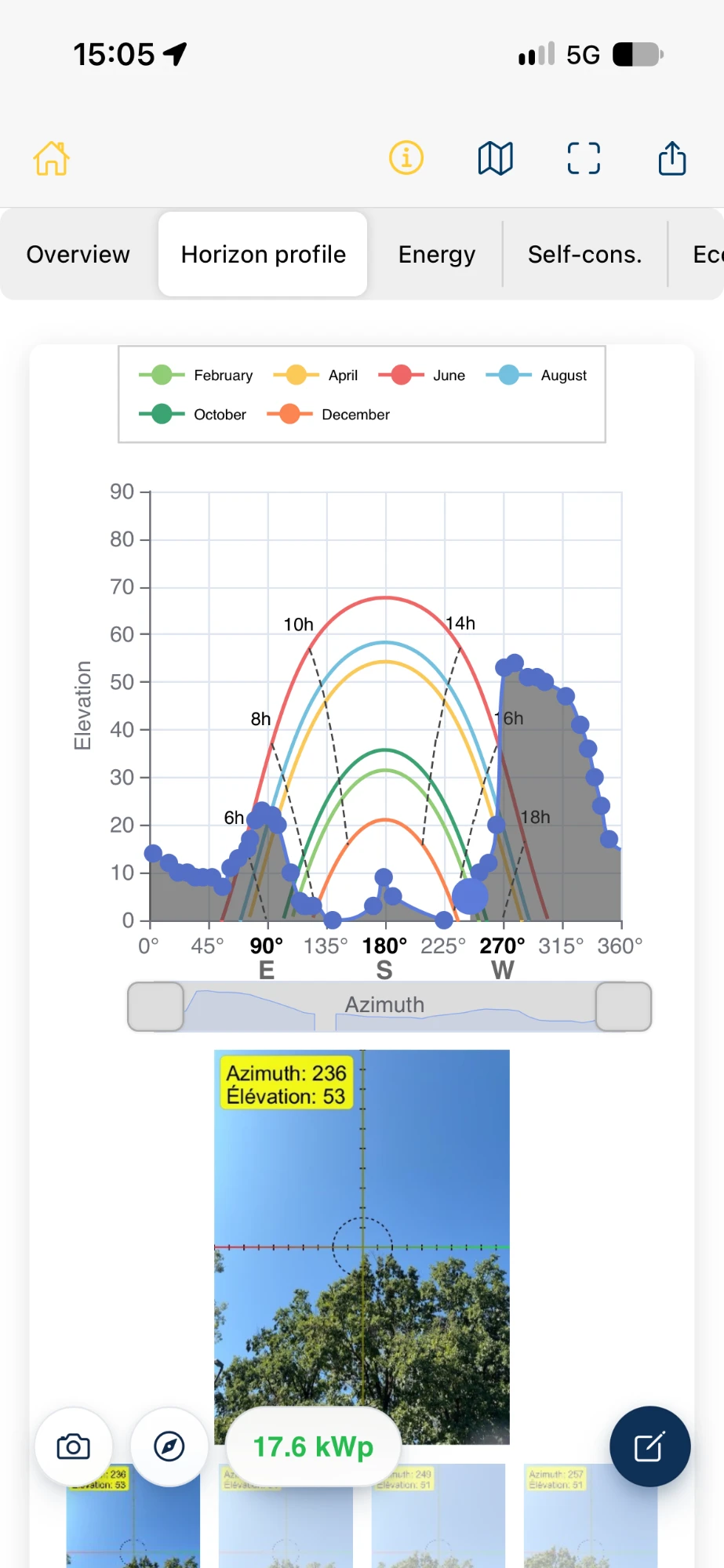
Use a smartphone to record trees, buildings and terrain that block direct sunlight. Azimutis builds a horizon profile from the azimuth and elevation of the surveyed points.
Points can be reviewed and adjusted in the app. The profile can be discussed alongside the sun path, including the importance of the measurement location and the reliability of smartphone surveys.
Connect shading to estimated PV production
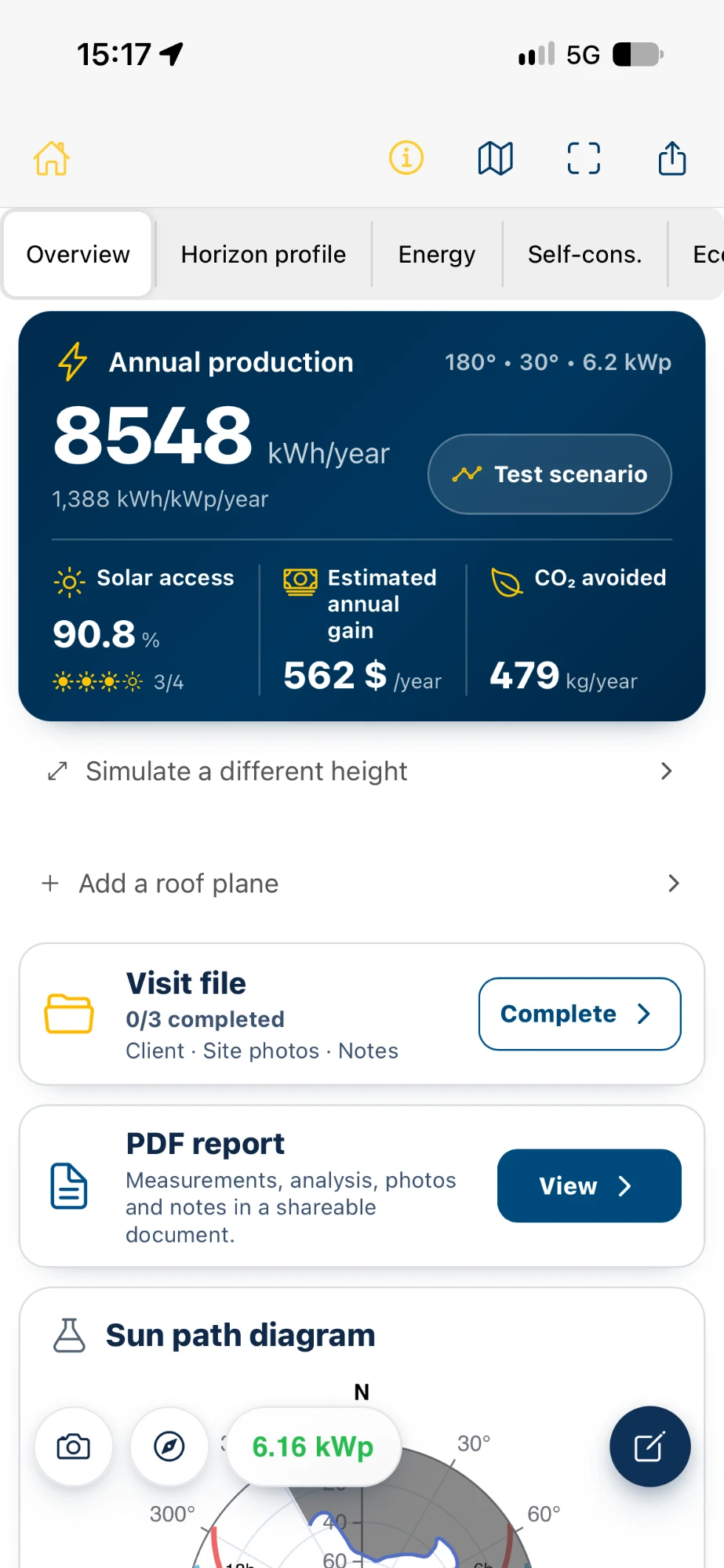
Azimutis combines the horizon profile with the system orientation, tilt and other project parameters to estimate shading losses and photovoltaic production, including hourly results.
The figures help explain the distinction between site measurements and production estimates. For further detail, see the PV shading survey page.
Explore the next stages of a PV assessment
Continue with usable surface area, module layout, installable capacity and estimated output. Self-consumption, battery storage and financial estimates can also be explored using project assumptions.
The PV feasibility assessment and horizon-profile and hourly exports provide additional ways to examine the results.
A professional tool for teaching sessions
Trainers can demonstrate the mobile workflow, discuss its results and reopen the project in the web portal. PDF reports help review the input assumptions and estimates.
Azimutis is professional software that can be used for demonstrations and hands-on use. It does not include a ready-made curriculum, lesson plans or teaching exercises.
Access for trainers and institutions
Training providers, teachers and educational institutions can contact Azimutis with details of their organisation and intended use.
Educational access arrangements for trainers and learners can be discussed individually.
Frequently asked questions
Does Azimutis include teaching exercises or lesson plans?
No. Azimutis provides shading survey and PV assessment tools. The trainer prepares the teaching materials and session format.
Can Azimutis be used in professional solar training?
Yes. The software can be used to demonstrate shading surveys, production estimates and other project assessment stages, without implying official approval by any training body.
Is a smartphone needed for a shading survey?
Yes. Field surveys use the Android or iOS mobile app. Project studies can also be reviewed and continued in the web portal.
How can an institution request access?
Contact Azimutis with the institution name, audience and intended use so the access arrangements can be discussed.